 ROI Calculator
 Sign up for free

Welcome to Club, the platform that turns your customers, fans, and followers into an active community driving revenue, content, and brand awareness. This guide walks you through the key steps to get your program up and running.
1. Set Up Your Brand
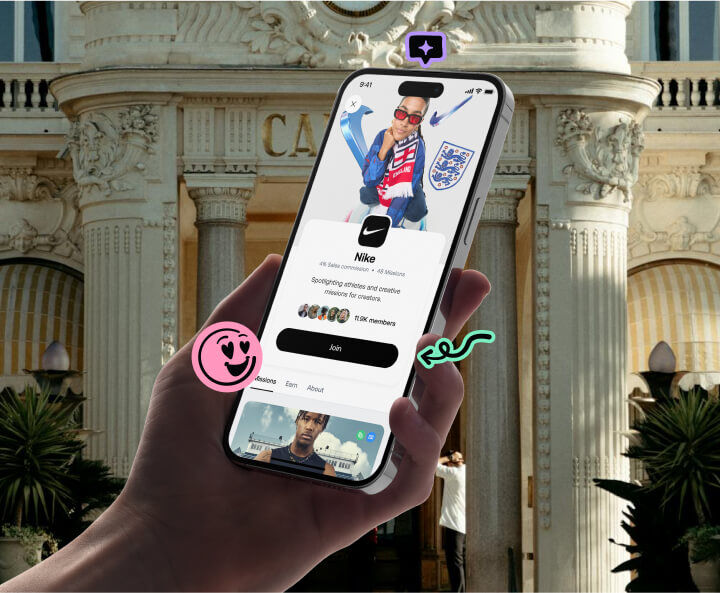
Once you’ve logged in to the Club Platform at my.club.co, start by setting up your brand page. This is what your community members will see when they discover you in the Club App.
Add your brand link (your website URL), brand email (for member-facing communication), and your brand’s Instagram handle. Upload your logo and cover image to make your page look the part. Once your brand page is live, members can find you in the Club App and apply to join.
2. Connect Your Webshop
Link your eCommerce store to unlock affiliate tools like automatic discount codes, tracking links, and revenue tracking. Club integrates directly with Shopify (and supports WooCommerce and Centra for discount code functionality).
Once connected, your community members can generate their own personalised discount codes directly in the Club App, and every order placed with those codes is tracked back to the member who drove it. You’ll also be able to automate commission payouts, gift card rewards, and product seeding — all tied to your store.
3. Configure Your Clubs and Segments
Once your brand page is set up and your webshop is connected, you can organise your community into clubs and segments. Club offers four club types, Customers, Content Creators, Ambassadors, and Affiliates, each with four numbered levels.
Use segments to group members based on their role or value to your brand, and assign different rewards, commission rates, and discount code rules to each. As members perform and level up, they unlock better perks, keeping your top performers engaged and motivated.
4. Set Up Missions
Missions are the heart of Club, they’re how you activate your community. Use the Mission Maker to create tasks that drive real results for your brand.
Social missions: ask members to post on TikTok, Instagram, or other platforms. Club tracks submissions and lets you approve or reject them.
Content missions: request UGC like photos and videos. Every submission lands in your Content Library, ready to download and use in ads, emails, and social.
Insight missions: run surveys to collect zero-party data like product feedback, preferences, or demographic info.
Sales challenges - set revenue targets and reward members who hit them.
Club includes 100+ mission templates to get you started, and you can send push notifications to alert your community when a new mission goes live.
5. Invite Your Customers, Fans, and Followers
Now it’s time to grow your community. Club gives you several ways to recruit members.
Invitation link: share a direct link on your social channels, in emails, or anywhere your audience is. Anyone who clicks can sign up and join your brand’s community in the Club App.
Web embed: add a post-purchase widget to your website that converts customers into community members right after checkout.
Auto-recruit: automatically invite customers based on purchase behaviour or other criteria, so your community grows on autopilot.
Members join through the Club App (available on iOS and Android), where they can browse your missions, generate discount codes, track their earnings, and level up.
{{cta(‘d1b6f5b5-fa25-4d1d-8bac-de430c7266da’,‘justifycenter’)}}